

What is an AI avatar? A creator’s guide

Highlights
You’ve probably seen AI avatars already. They appear in product explainers, training videos, YouTube channels, and social media clips. Instead of filming a presenter, creators generate a digital character that reads a script on screen.
AI avatars allow creators to produce videos without cameras, studios, or on-screen presenters. A script can become a finished video in minutes. Some avatars are based on real actors, while others use cloned voices.
What is an AI avatar?
An AI avatar is an AI presenter that delivers spoken video content. It looks like a person on screen, reads a script, and moves its face and lips naturally while talking.
Some platforms have stock avatars from a library to choose from, while others let creators build custom avatars based on a real person, which requires consent and proper licensing. There are also fully synthetic characters designed for branding, mascots, or entertainment-related content.
How AI avatars work
AI avatar video creation usually starts with a script. The platform turns the script into speech using text-to-speech, either with a built-in voice or a voice cloned from a real speaker. When a real voice is used, creators usually need permission and the right license.
The model then generates the facial movement to match the speech, matching human-like lip movement and microexpressions.
Some of the most famous AI avatar platforms include Fabric 1.0, Creatify Aurora, OmniHuman 1.5, and HeyGen Avatar 4. Each generates speaking avatars using voice synthesis and facial animation, and creators need to choose the platform and the type of avatar that works best for their project.
Why creators use AI avatars
AI avatars help creators produce a lot of video content quickly, without filming a live presenter.
With AI avatar creators, there’s:
- No need for lighting, studios, or filming setups
- Faster to produce than traditional video shoots
- Easy to scale across multiple videos and formats
- Can localize content without re-recording
- Consistent, repeatable on-screen presence
- Lower production costs (no talent, location, or crew)
- Simple to update or change content after publishing
No full production team required. They’re useful for content like UGC, training videos, product explainers, and multilingual content. AI avatars also make localization and any updates after publishing easier, you just need to regenerate the video.
Different types of AI avatars
Most types of AI-generated avatars fall into three categories.
- Stock avatars
Stock avatars are prebuilt AI presenters available inside avatar platforms, where you choose a character from a library, add your script, and generate a video.
They’re fast and easy to use, meaning you might see the same avatars appear regularly in training videos, product explainers, and corporate content.
- Custom avatars
Custom avatars are generated from a real person, where you record a video of the person speaking, then the model reproduces their face and voice in new videos.
This type of AI avatar works well for brand spokespeople, company updates, and repeating content where you need a consistent on-screen presence. Because a real person is involved in the creation, you’ll need to get the person’s consent and proper use licensing.
- Synthetic characters
Synthetic avatars are completely AI-generated, from start to finish, and aren't based on a real person.
They’re often used in social media content, entertainment, as mascots, and branded storytelling, as they give creators more creative freedom, since they’re not based on real people. You might see AI avatars that are anime characters, animals, or anything else non-human.
How to create an AI avatar
Creating a fully AI-generated avatar can take just a few clicks if you know where to look.
Here’s how you do it in 3 steps:
- Generate an image of the avatar. Choose the model you want to use, describe who the avatar is, how they should look, and what they should wear.
The following AI avatar images were generated using Nano Banana 2:
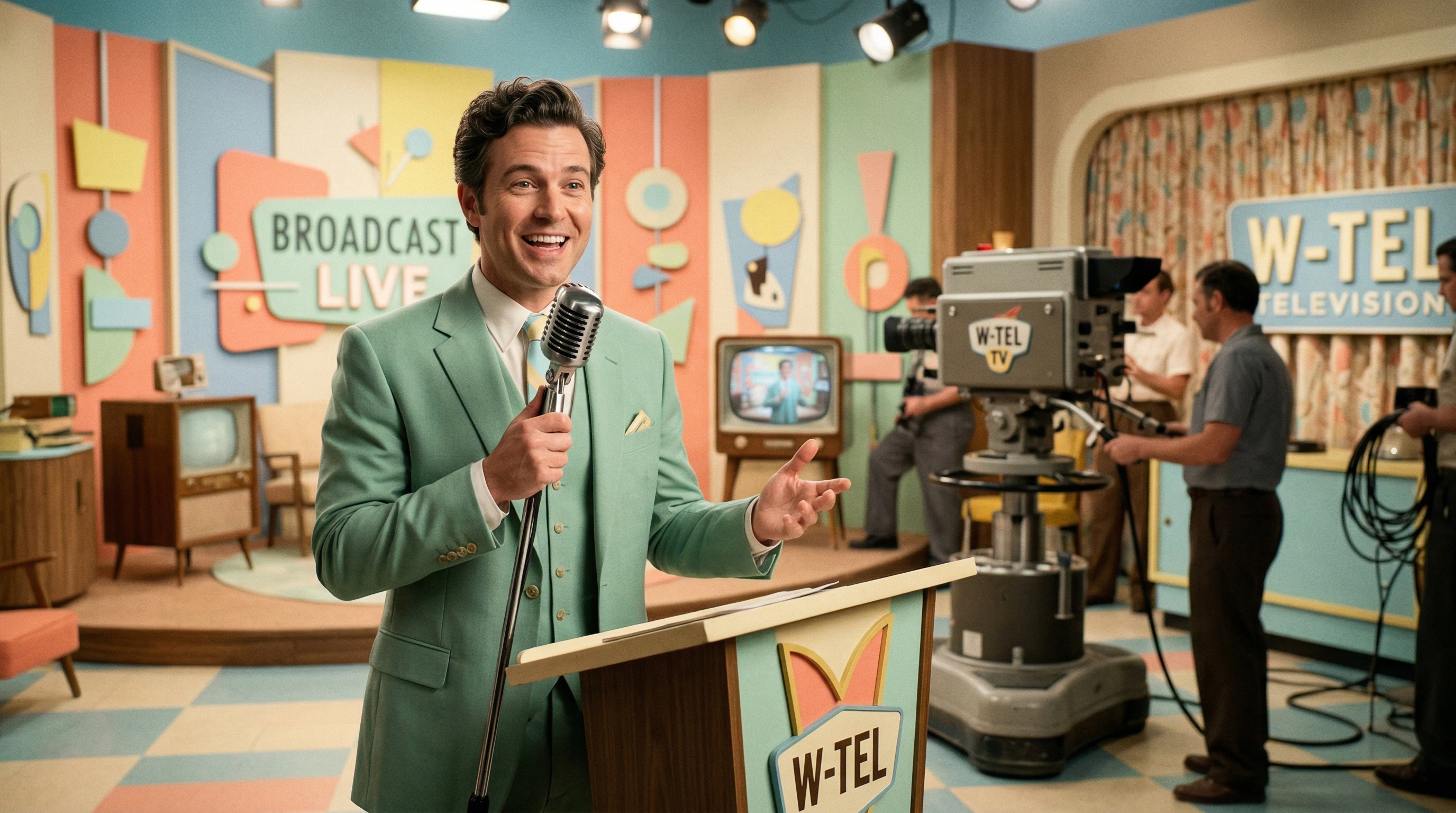
Prompt: “1950s retro TV host, pastel color palette, vintage television studio set, mint green suit, oversized retro microphone, soft studio lighting, cheerful expression, mid-century design style, bright pastel background, nostalgic 1950s television aesthetic”
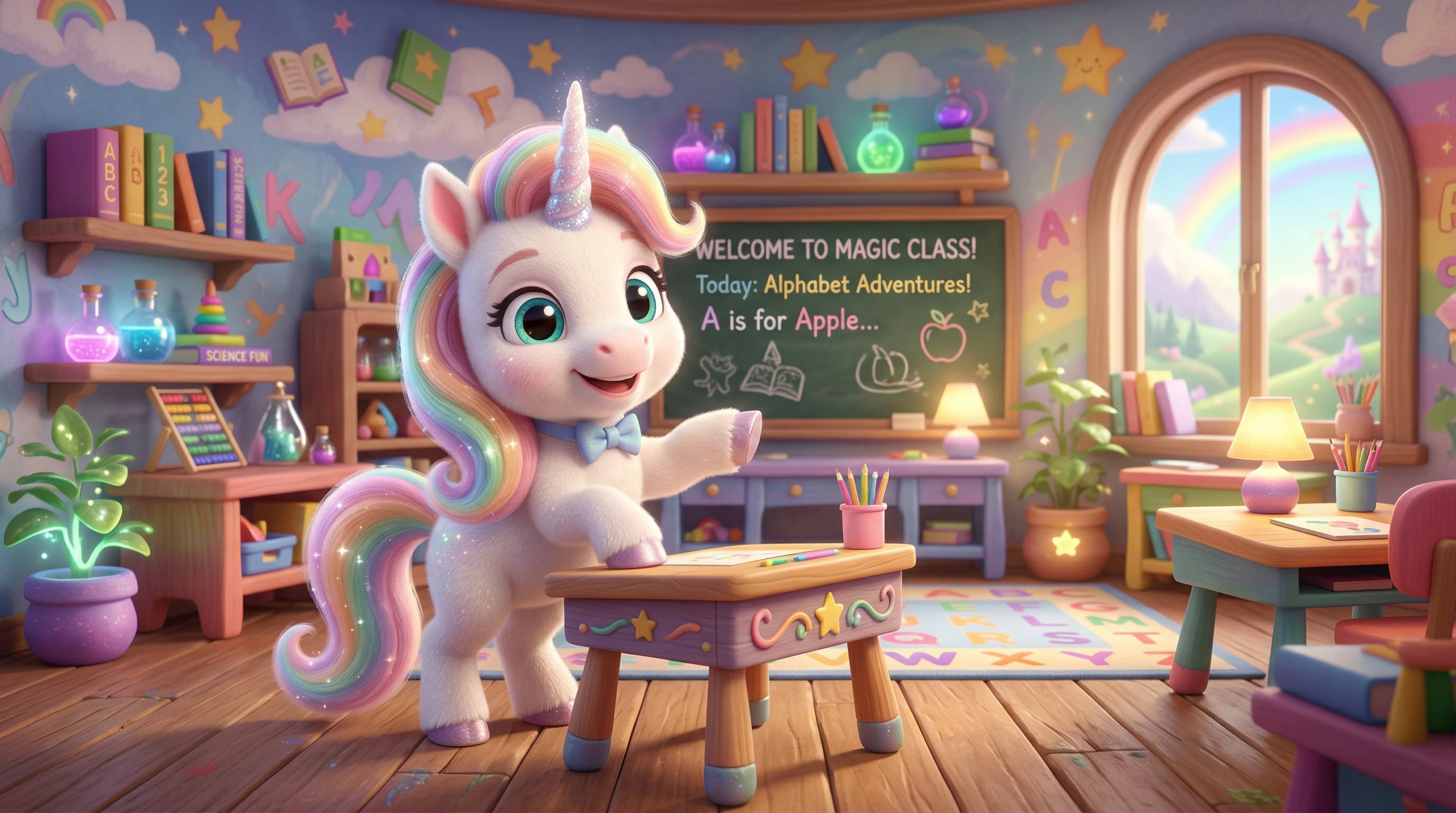
Prompt: “Cute animated unicorn character, pastel rainbow mane, sparkling eyes, friendly expression, children’s educational show style, colorful fantasy classroom background, soft lighting, bright cartoon colors.”
- Use your avatar as an image input for an image to video model, like Kling 2.6 Pro or Wan 2.6. Add the image from step 1 and the voice from step 2 to generate the avatar.
Prompt: “The host speaks enthusiastically to the audience like a cheerful 1950s commercial presenter, saying, "Well, hi there! I just had to tell you about this cool new drink I tried the other day – D-Rink! It’s got heaps of protein in it, but tastes like a real chocolate shake!”. Natural talking motion with mouth opening and closing while explaining a product.”
Prompt: “The unicorn talks directly to the viewer like a cheerful children’s TV presenter. Mouth opening and closing while speaking, expressive facial animation, small head movements, gentle hoof gestures while explaining something.”
When to use AI avatars
AI avatars are great for creating quick, repeatable videos, like user generated content (UGC). UGC creators might need to create a lot of short video content with different variations, for example, using different products, for different audiences, or for testing messaging. Instead of filming presenters, UGC creators can write scripts and generate the videos quickly.
AI avatars are also great for creating short explainers, multilingual versions of the same video, faceless YouTube channels, and short social media clips. Sometimes the avatar isn’t meant to look like a real person at all, and can be a fantasy character, mascot, or virtual influencer.
When to use a real presenter instead
A lot of AI myths center around the idea that AI will replace human presenters and creators. In some use cases AI avatars aren’t always the best choice, and it’s better to film a real person presenting. Creators also need to guide AI with their creative vision, and have the final say on how their AI presenter should speak, look, and behave.
For videos where your presenter needs to be authentic and trustworthy, it may be better to use a real presenter, as audiences respond better to genuine expressions, personality, and body language.
It’s a great idea to use both live presenters and AI avatars, with the AI avatars handling more structured or formulaic content like UGC or faceless videos, and live presenters used for the videos that need to be more personality or trust-based.
AI avatars and copyright
AI avatars can also be subject to copyright and licensing rules. For example, some tools allow voice cloning, but if the voice is based on a real speaker, that person must give permission before their voice can be used.
The same goes for some avatar presenters. If a platform licenses real actors to create digital avatars, then those actors are agreeing to have themselves appear in generated videos. In these cases, the platform sets the rules for how the avatar can be used, including whether it’s allowed in commercial projects.
It's always a good idea to check the platform you're using for their usage rights for the avatar voice, and the platform’s policy overall, as these can also mention any monetization or disclosure requirements.
Create AI avatars in minutes
AI avatars are quick and easy to create, and save time, energy, and budget from filming a live presenter in a studio. They’re great for presenting across some types of content, while human presenters are better for any video about storytelling, personality-driven content, or anything else where you need authenticity.
Check out the AI avatar tools available in Artlist’s AI Toolkit, and create your own AI avatar in just a few minutes.


