Sora is shutting down. What are the alternatives? (opens in new tab)

Sora 2 is no longer available in Artlist's AI tools. OpenAI's video model was known for hyper-realism, cinematic quality, consistent characters and immersive sound — explore the other video generators on Artlist to keep creating.
These were the steps creators followed to generate with OpenAI Sora 2 inside the Artlist AI tools.
Creators opened the AI image and video generator and selected the Sora 2 model.

They described an idea with a text prompt or uploaded an image to animate.

The AI creation was ready in seconds and could be added to any project.

Here’s how Sora 2 by OpenAI supported creators across multiple industries looking for realistic, high-impact content.

Sora 2 produced realistic short-form videos, reels, and narrative content with lifelike motion, consistent characters, and immersive sound — all without complex production workflows.
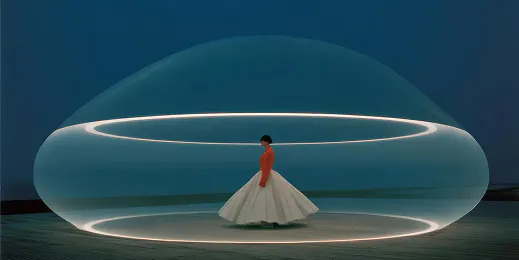
Teams generated professional-quality video concepts, ads, and campaign visuals, testing ideas faster while reducing production time and costs.

Filmmakers prototyped scenes, explored story ideas, and experimented with AI-generated visuals, prompting like a director to achieve physically accurate motion and multi-shot consistency.
On Artlist, Sora 2 turned a text prompt or a single image into a lifelike video in seconds, with synchronized sound and physics-aware motion.

Sora 2 AI combined realistic motion, cinematic control, and synchronized audio to deliver high-end video generation from images or simple prompts.
Sora 2 allowed video generation from text prompts or still images, using the image as a reference point for visual style, composition, and framing.
Dialogue, sound effects, and background music were seamlessly matched to the visual rhythm and on-screen actions, including accurate lip-syncing for generated speech.
The model simulated physical interactions such as gravity, momentum, and collisions, allowing motion and object behavior to follow logical, real-world rules throughout a scene.
Sora 2 preserved character, object, and scene consistency across shots for smoother, more cohesive video sequences.
Read about what Sora 2 offered, what changed, and where to go next for AI video on Artlist.


Sora 2 was a Sora AI model from OpenAI, designed to generate ultra-realistic videos with sound, dialogue and lifelike motion. In Artlist's AI video generator, creators used Sora 2 to create immersive scenes with true-to-life physics and detail, with greater accuracy, control and cinematic depth.
Sora 2 was integrated into Artlist AI for seamless video generation. Creators logged in to the Artlist AI tools, opened the Image and Video generator, and selected “Sora 2” from the model list. With Text to Video, they wrote a prompt describing the scene, style, camera moves, dialogue, sound effects, and audio. With Image to Video, they uploaded one or more images and added a prompt to guide motion, lighting and physics, then generated and downloaded the creation for use in any project. More details are in our dedicated Help Center article.
With Sora 2, creators produced complete cinematic scenes powered by Sora OpenAI — including visuals, dialogue and sound. It was ideal for storytelling, trailers, short films, or social videos that demanded realism and creative control. The Sora AI model let users direct dynamic, multi-shot stories that looked filmed, not generated.
Sora 2 and Sora 2 Pro were both available on Artlist. Explore the other video models in the Artlist AI video generator to find the best fit for different creative styles, formats, and production needs.
Still have questions? We're here to help.