Seedance 2.5: 30 seconds of AI video on Artlist
ByteDance's newest video model is live on Artlist. Generate up to 30 seconds in one pass, direct it with 50 image, video, and audio references, and get dialogue, music, and effects locked to the timeline.
What is Seedance 2.5?
Seedance 2.5 is ByteDance's newest video model, now in Artlist's AI toolkit. It generates native 30-second clips in a single pass. Each generation accepts up to 50 references: 30 images, 10 video clips, and 10 audio files. Audio is created with the visuals, so sound arrives in sync. Included on Artlist.

Why creators choose Seedance 2.5
Longer clips, deeper reference control, and sound that arrives finished. Here is what changes when you generate scenes with more control.
Create a beginning, middle, and end
Thirty seconds means you can craft a narrative that actually tells a story. Your character holds across the scene, keeps the same face, the light holds, and nothing drifts at the seams.

Your own material does the directing
With 30 images, 10 clips, and 10 audio files in one generation, you can label each in the prompt, and the model reads it as a brief: this face, that palette, this camera move, that voice.

Sound that lands finished
Dialogue, music, and effects are written alongside the picture rather than laid over it afterwards. Footsteps hit on the footstep. That takes a whole pass out of your edit, not just a step out of your workflow.

Fewer takes before the keeper
ByteDance reports that Seedance 2.5 follows prompts roughly 20% more accurately than Seedance 2.0. If 2.0 typically takes three or four attempts to nail a specific camera move or character action, 2.5 usually gets there in two. For a 12-second social reel, 4 character images and 1 music reference can anchor a full scene, with Smart Duration setting the cut point automatically.

Define aspect ratio
Set it yourself or let the model decide from your prompt: 16:9, 9:16, 1:1, or 21:9. Useful when you're not yet sure where the clip will run.


How to create with Seedance 2.5?
Seedance 2.5 runs inside Artlist's AI Toolkit. Four steps from an empty prompt to a finished clip with sound.
Head to Artlist's AI Toolkit and pick Seedance 2.5 from the video model list.
Upload images, clips, or audio, then use the prompt to say what each one is for: subject, style, camera move, dialogue, or soundtrack.
Choose a length between 4 and 30 seconds, or leave it to Smart Duration. Pick an aspect ratio, or let the model read one from your prompt.
Your clip comes back with audio already in sync. Extend it, edit a scoped region, or swap a reference and run it again.
What Seedance 2.5 can do
Beyond duration and references, Seedance 2.5 handles multi-shot sequences, targeted edits within a defined time range, and clip extension, all within one generation.
Multi-shot generation
Describe several shots in one prompt, and the model cuts between them, holding style and continuity across each change.

Reference-driven editing
Replace a subject, add or remove an element, or redraw a region. Limit the change to a time window, for example 0:02 to 0:05, and the rest of the clip stays untouched.

Extension in both directions
Continue a clip from its final frame, or generate the moment before it using the first frame as the endpoint. Style, rhythm, and camera logic carry across.

Seamless bridge
Hand the model two clips, and it generates the transition between them, matching the motion on both sides.

First and last frame
Set the opening and closing image so the model builds the movement in between. Match the aspect ratios of both, or the last frame is cropped to fit the first.

Smart Duration
Set any length from 4 to 30 seconds, or hand the decision over, and the model picks a natural cut point in the 4 to 15 second range.

Audio-only references
Feed an audio file on its own to drive dialogue, music, or effects. No matching image or video reference is required.

Dialogue in eleven languages
Generate dialogue in English, Chinese, Spanish, Portuguese, Japanese, Korean, Arabic, Vietnamese, Thai, Indonesian, or Malay.


Start creating with Seedance 2.5
Generate 30-second clips from up to 50 references, alongside Kling, Veo, Sora, and every other leading AI video model in Artlist's AI Toolkit. One subscription, one commercial license, and every model in the same browser tab.
.png?auto=format%2Ccompress&s=cd2fc8071b7b6fcac1a6464097159428)
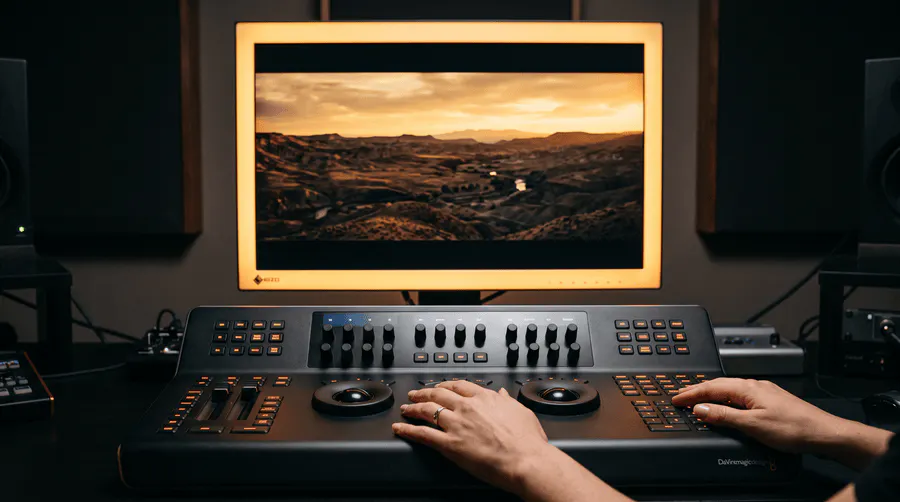
Seedance 2.5 now supports 1080p and native 10-bit color
Seedance 2.5 now outputs at 1080p with native 10-bit color. The extra color depth gives you more headroom when you grade, and the resolution holds up for social, client delivery, or anywhere 720p used to fall short. SD 2.5 at 1080p and SD 2.0 (mini and fast) are 25% off right now.
Draft Mode vs Full Render: When to use each
Draft Mode (480p) | Full Render (1080p) | |
|---|---|---|
Resolution | 480p | 1080p |
Speed | Fast — built for iteration | Standard generation time |
Credit cost | Low — designed for testing | Full credits per generation |
Best for | Checking composition, camera, and subject before committing | Final delivery, client assets, and published content |
Prompt & references | Same prompt and up to 50 references as full render | Same prompt and up to 50 references as draft |
Output match | Preview version of your final video | Exact 1080p version of the draft you approved |
Typical workflow | Run 2–3 drafts → refine → upgrade the one that works | Generate once when you already know the prompt nails it |
Draft Mode (480p) | Full Render (1080p) | |
|---|---|---|
Resolution | 480p | 1080p |
Speed | Fast — built for iteration | Standard generation time |
Credit cost | Low — designed for testing | Full credits per generation |
Best for | Checking composition, camera, and subject before committing | Final delivery, client assets, and published content |
Prompt & references | Same prompt and up to 50 references as full render | Same prompt and up to 50 references as draft |
Output match | Preview version of your final video | Exact 1080p version of the draft you approved |
Typical workflow | Run 2–3 drafts → refine → upgrade the one that works | Generate once when you already know the prompt nails it |
What you can do with Draft Mode
Frequently asked questions
Seedance 2.5 by ByteDance is an AI video generator that creates native 30-second clips from text, image, video, and audio references. Audio is generated in the same pass as the visuals, so it comes back in sync and it is available in Artlist's AI Toolkit.
Seedance 2.5 generates clips up to 30 seconds against 15, and accepts 50 multimodal references against 12. It adds audio-only references, adaptive aspect ratio, and Smart Duration. Resolution starts lower, so Seedance 2.0 remains the pick when 4K output matters more than duration.
Each clip runs 4 to 30 seconds, generated natively in one pass rather than stitched together. Set the duration manually, or use Smart Duration and the model selects a natural length in the 4 to 15 second range. Duration affects credit usage. Longer clips consume more credits per generation. See Artlist's pricing page for the full breakdown.
Seedance 2.5 generates dialogue, music, and sound effects in the same model pass as the visuals, so timing is locked during creation rather than aligned afterward. There is no post-production sync step and no second pass. Write what you want to hear in your prompt, or upload an audio reference, and the model incorporates it during generation.
Up to 30 images, 10 video clips, and 10 audio files per generation, 50 in total. Audio-only references are new in 2.5. Assign each reference a role through the prompt: subject, style, camera, motion, dialogue, music, or SFX.
480p and 720p at 24 frames per second (FPS) at launch. For maximum output resolution today, use Seedance 2.0 in the Artlist AI Toolkit, which delivers up to 4K. Both models sit under the same subscription, so you can pick per shot.
Eleven: English, Chinese, Spanish, Portuguese, Japanese, Korean, Arabic, Vietnamese, Thai, Indonesian, and Malay. Feed a reference audio clip to steer accent and delivery, or describe the voice you want directly in the prompt. Dialogue is generated alongside the visuals rather than dubbed on afterwards.
Draft Mode is a fast, low-cost 480p preview inside Seedance 2.5. It lets you test your prompt, references, and camera direction before committing credits to a full 1080p render. Run a draft, review the composition and motion, refine if needed, then upgrade to the final version — the 1080p output matches the draft exactly.
Still have questions? We're here to help.