Kling AI 2.5 Turbo now on Artlist (opens in new tab)

Create Hollywood-level scenes with precise prompt accuracy, smooth lifelike motion, realistic fast-paced action, and professional-level camera control.
Create cinematic videos with Kling 2.5 Turbo right inside the Artlist AI tools.
Open the AI image and video generator and select the Kling 2.5 Turbo Pro model.

Upload images as start and end frames, or write a text prompt to describe your scene.

See your new AI creation in seconds, then iterate, edit, or download instantly.

Whether you’re a filmmaker, content creator, or creative team, Kling 2.5 Turbo Pro is built to scale production without sacrificing quality.
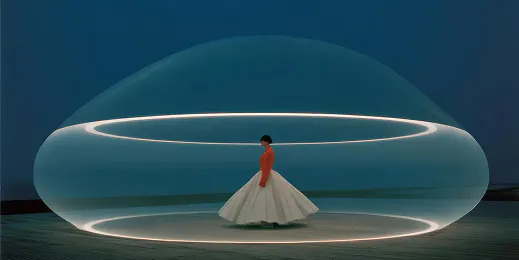
Create engaging product videos, commercials, and social content with smooth motion and consistent branding.

Use Kling 2.5 for previsualization, storyboards, teasers, and complex shots with realistic physics.

Produce scroll-stopping, high-resolution clips for Instagram, TikTok, and more, with improved motion and realism.

Capture fast-paced sports highlights with tighter camera control, dynamic tracking shots, and realistic physics.
Describe your idea with a text prompt and generate a cinematic video in seconds.

Dive into in-depth guides, tutorials, and creative hacks to get your best results every time.
Kling 2.5 Turbo Pro is a Kuaishou-built AI video model available in Artlist’s Video Generator. It turns text prompts or single images into cinematic 1080p clips with strong prompt adherence, smoother motion, and more intentional camera control for short, production-ready videos.
Go to the AI Image and Video Generator in Artlist’s AI tools and select Kling 2.5 Turbo Pro. Choose AI text to video or image to video, set a 5- or 10-second duration, then add your prompt or image and generate a cinematic 1080p clip with smooth motion, strong prompt adherence, and optional start/end frame control for better scene flow. To learn more about features like camera movement, prompt structuring, and visual control, explore the complete walkthrough in this article.
Kling 2.5 Turbo Pro is ideal for short cinematic clips, product videos, and social media content, as well as teasers, trailers, storyboards, and previsualization. It also works well for sports highlights, stylized narrative moments, and testing visual ideas before a full production.
Yes. In addition to Kling 2.5 Turbo Pro, Artlist also offers other Kling AI models in the Video Generator, including Kling 1.6 Standard, Kling 1.6 Pro, Kling 2.1 Master, Kling 2.6 Pro, Kling 3.0 and Kling O3. You can compare these versions and switch between them using the model dropdown or by browsing the AI models hub to find the best fit for your project.
Still have questions? We're here to help.

