Turn any image into a hyperlapse video
You want a moving camera, time rushing forward, and the world accelerating around a single frame. That’s a hyperlapse, and now you can get one from any photo you already have, without shooting a single second of footage.

One image is all it takes
Upload any photo and the AI handles the camera movement, timing, and motion. No settings to adjust, no decisions to make, no footage to shoot. Just upload your image, and your hyperlapse video is ready the moment generation finishes.
The full hyperlapse effect, from start to finish
The camera moves through the scene, time compresses, and the world around your subject accelerates. Whether it’s a cityscape, a landscape, or an architectural shot, the output holds the visual logic of the effect from the first frame to the last.

What you can make with Hyperlapse
The Hyperlapse ap works across projects, from social content and travel shoots to client work and product campaigns.
Travel content that actually moves
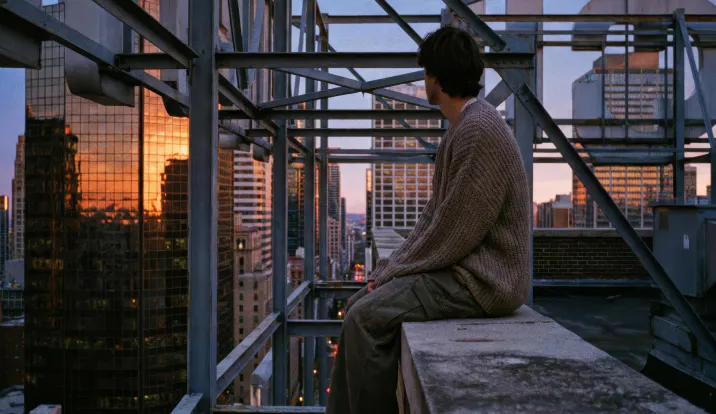
Turn a landscape or city photo into a hyperlapse video that feels like you were there. Great for travel reels, destination content, and social posts where a still image just doesn’t cut it.

Product visuals with real energy
Give a product shot or brand image a dynamic edge by turning it into a hyperlapse video. Use it for ads, campaign content, and social media.

Creative projects, done in seconds
Whether you’re building a mood reel, experimenting with a visual style, or just want to see what a photo looks like in motion, upload it and see what the AI does with it.


Frequently asked questions
A hyperlapse is a type of video where the camera moves through a scene while time appears to compress, so everything in the frame (clouds, people, traffic) moves at a rapid pace. It’s different from a standard timelapse, where the camera stays in one place. The result is a dynamic, cinematic effect that’s difficult to shoot manually but takes seconds to generate here.
Upload any image and the app generates a hyperlapse video automatically. There’s no configuration, no settings to adjust, and no prior experience needed. The AI handles the camera movement and timing, and your video is ready to use.
Scenes with depth and detail tend to produce the strongest hyperlapse videos — landscapes, cityscapes, architecture, and travel photos all work well. That said, the app is designed to work across a wide range of subjects, so it’s worth trying with whatever image you have.
Not currently. The Hyperlapse app takes an image as input and generates a hyperlapse video from it. If you don’t have an image ready, it’s worth trying with any photo that has a clear subject and some background depth.
Artlist’s free trial comes with a set of complimentary generations — no card needed, no time pressure. Use them to run the Hyperlapse app on a few images before deciding whether a paid plan is right for your workflow. Or, try out the 70+ other AI apps available.
Hyperlapse videos you generate belong to you. For personal and social use, the Social plan covers you. If you’re using the output in paid ads, client work, or promoted content, you’ll need a Pro plan. That’s where the license extends to third-party and commercial projects. See the Artlist licensing page for the full breakdown.
Still have questions? We're here to help.