Introducing the Artlist AI Agent

Highlights
The Artlist AI Agent introduces a conversational layer to the Artlist AI Toolkit — one that helps you think, plan, and create in the same place. With no need to switch between tools or overthink prompts, you have more time and momentum to create.
Trained on Artlist’s content and created with our production expertise, the results are always high-quality. The Artlist Agent workflow is similar to how real creators work, removing friction where it previously slowed you down, while ensuring you’re still in complete control.
Two modes and one continuous workflow
The AI Agent allows you to work in the Artlist AI Toolkit using a hybrid experience. You can move between:
- Standard mode: for precise, hands-on control
- Agent mode: for fast, idea-driven creation
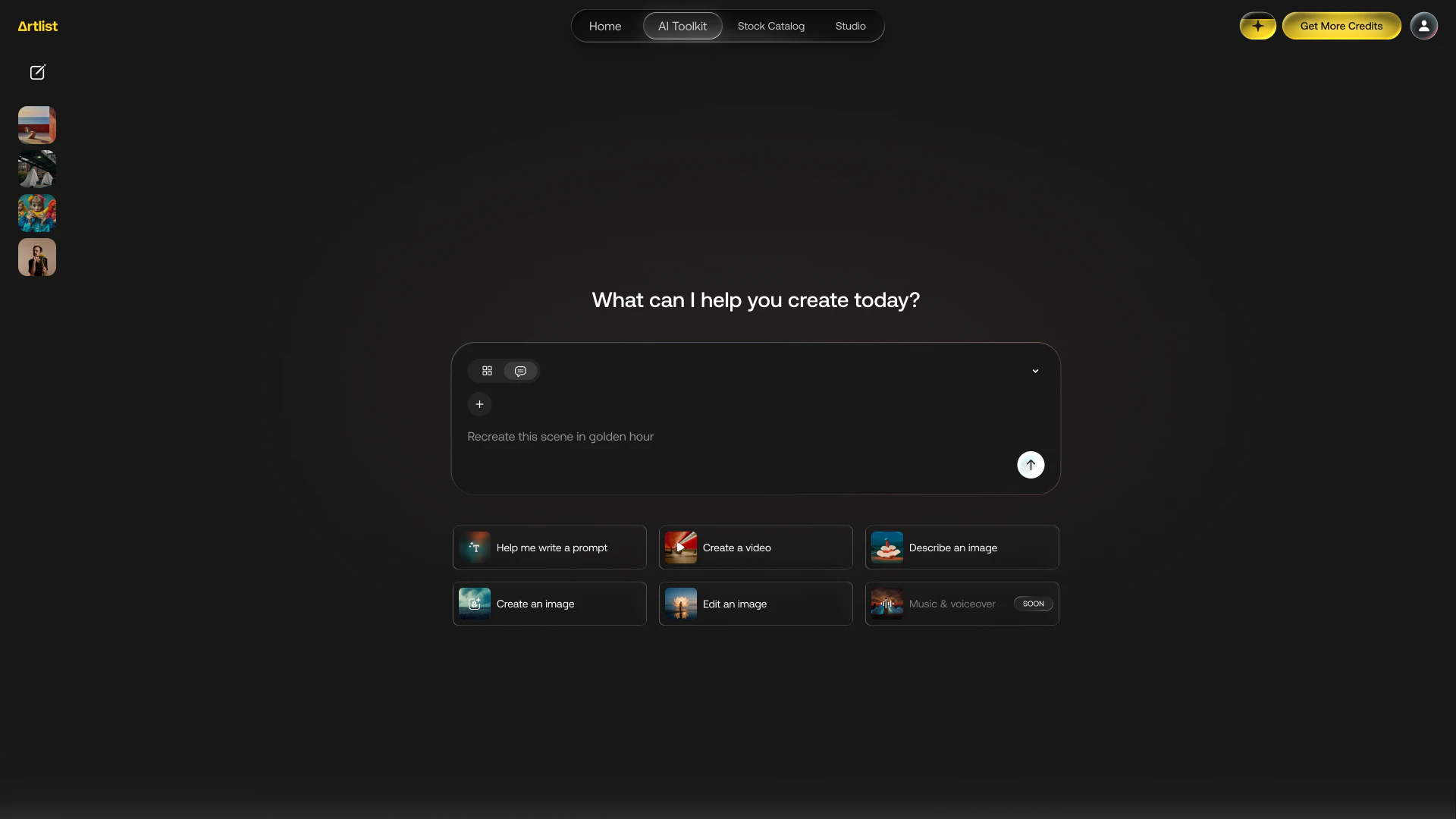
Some days you want pixel-perfect control. On other days, you want to get an idea out of your head and into a visual as fast as possible. Now you can do both in the same session. Start with a rough concept in agent mode. Switch to standard mode to fine-tune the output. Or go the other way and build something detailed, then use the agent to iterate and expand.
Talk like a human. Create like a pro.
The biggest unlock here is that you can stop prompting and start communicating. The AI Agent is:
- Conversational — describe what you want in plain language
- Contextual — it remembers what you’ve already created and builds on it
- Professional — it selects the right models based on your goal
- Connected — it lives inside your Artlist workflow, not outside it
You can ask for variations, refine ideas, or explore directions without rewriting prompts from scratch. It understands your last step and moves you forward.
From idea to output, without friction
The AI Agent doesn’t just generate. It supports the entire creation process.
Inside a single session, you can:
- Generate multiple prompt options instantly
- Use prompt enhancement to improve your inputs
- Get model recommendations based on your goal
- Create and edit images and videos
- Track your credit usage and balance
- Manage your plan and account overview
And when you’re ready to create:
- Go from text to image
- Transform image to image
- Turn image to video
- Edit with video to video workflows
- Make targeted edits — like changing a jacket’s color
- Analyze and apply a reference style from an image to a new video
All without leaving the environment. This is what end-to-end actually feels like!
Built for iteration, not just generation
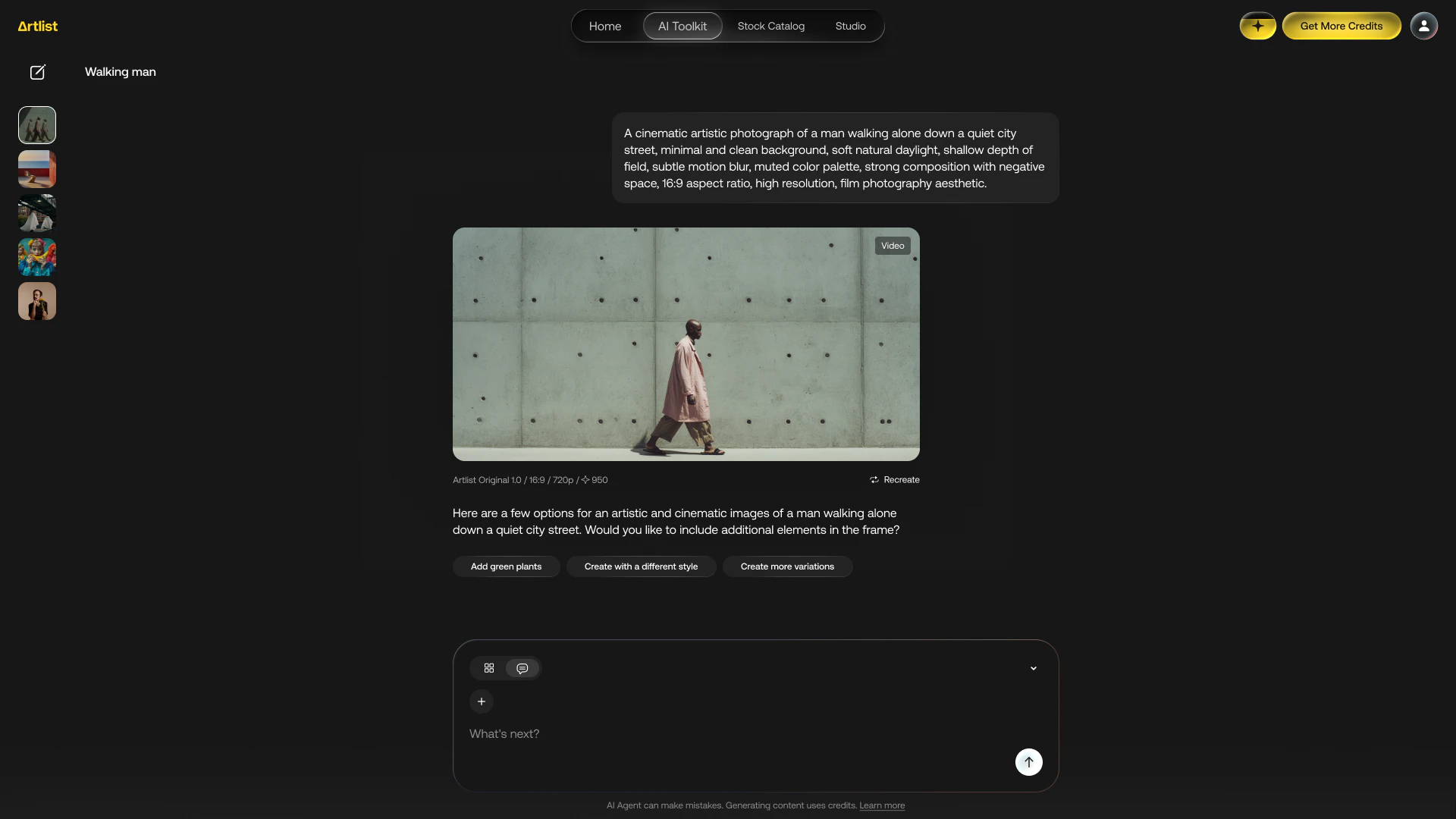
Most AI workflows break at iteration. You generate something, then you’re back to square one trying to refine it. The AI Agent fixes that. Because it’s contextual, every step builds on the last. You can:
- Ask for variations
- Push a style further
- Adjust specific elements
- Explore alternatives
And the agent keeps up. It’s less like issuing commands, more like collaborating with a creative partner that understands your direction.

Designed for real creative work
The AI Agent on Artlist is designed for day-to-day use.
- You can chat with the agent for free
- Use your existing AI credits to generate
- Access it easily by simply clicking “Create new session” and toggling “AI Agent”
- Start from an empty state with guided suggestions — from writing prompts to editing visuals
It’s available to all AI plan users, excluding AI voiceover for now. Voiceover and music generation inside the agent are already on the roadmap.
Agent vs Standard mode
Inside the Toolkit you can now use both agent and standard mode. Use the AI Agent when:
- You’re exploring ideas
- You don’t want to think about prompt structure
- You need speed and direction
- You want help choosing the right model
- You’re iterating quickly
Switch to Standard mode when:
- You need precise control
- You’re refining details
- You’re locking in a final output
The power is in the switch — not choosing one over the other.
How to create with the AI Agent
Getting started with the AI Agent is simple:
Follow these simple steps to plan, create, iterate and more with the AI Agent on Artlist.
Step 1
Open the Artlist AI Toolkit.
Step 2
Click the chat icon to switch to AI Agent mode.
Step 3
Start chatting to create exactly what you need, just like in the examples below.

Have fun creating with the Artlist AI Agent today
The Artlist AI Agent is your creative partner in the AI Toolkit. Whether you’re sketching ideas, generating videos, or refining visuals, the agent helps you move faster, iterate smarter, and keep everything in one place.
Start creating today, explore the hybrid workflow, and see how effortless professional-grade results can be. Try the Artlist AI Agent now — open your AI Toolkit, toggle on AI Agent, and start your first session.